01 — ISOLATE THE SUBJECT
Remove the background
Use automatic background removal to separate the foreground from the source image and create a transparent background.
Transparent image editor for Mac
Create a transparent background, keep the alpha channel, and export clean PNG cutouts from a simple, offline Mac app.
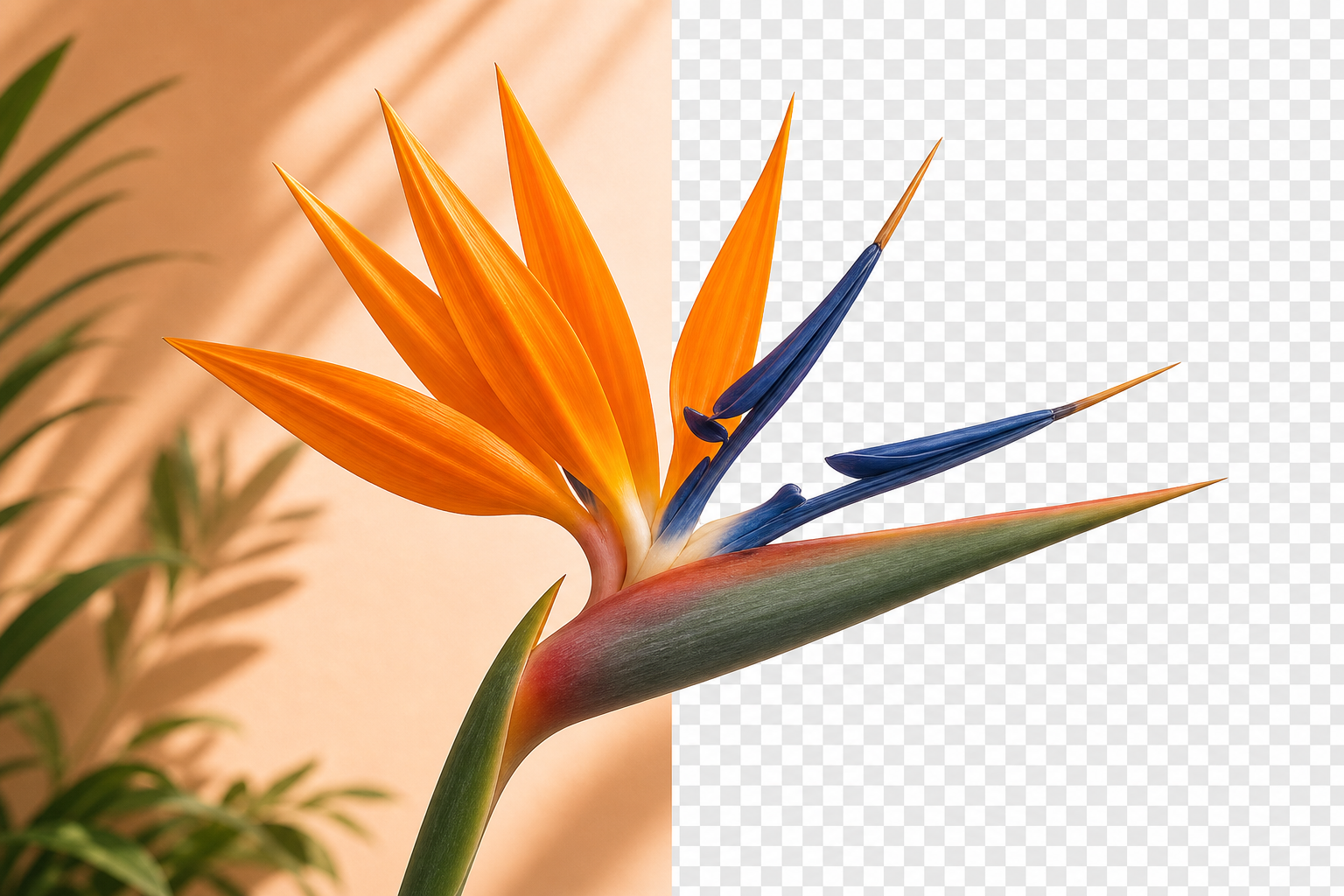
PNG transparency editor
Whether you need a photo cutout, an object cutout, or a transparent asset for a design project, Imaske creates a PNG with alpha transparency directly on your Mac.
01 — ISOLATE THE SUBJECT
Use automatic background removal to separate the foreground from the source image and create a transparent background.
02 — CHECK THE DETAIL
Use sensitivity controls to choose a tighter or more detailed edge refinement before you save the cutout.
03 — SAVE THE PNG
Save a transparent PNG for use in presentations, graphics, websites, overlays, or another image-editing workflow.
Make transparent graphics, prepare image assets, and create PNG cutouts in a private Mac workflow with no subscription.

FAQ
Yes. Imaske exports a PNG with transparency, ready to use as a transparent asset in a design or image-compositing project.
Yes. Choose the source image, remove its background, and save the isolated foreground as a PNG cutout.
Yes. A cutout can also become the mask for another artwork image, letting you create transparent image composites and shaped photos.