01 — MAKE THE SHAPE
Start with a stencil
Choose a PNG or image with the shape you want to use, then remove its background to isolate the silhouette.
Photo masking and image compositing
Turn a cutout into an image mask, fill it with another photo, and create custom shape crops, photo silhouettes, and transparent image composites on your Mac.
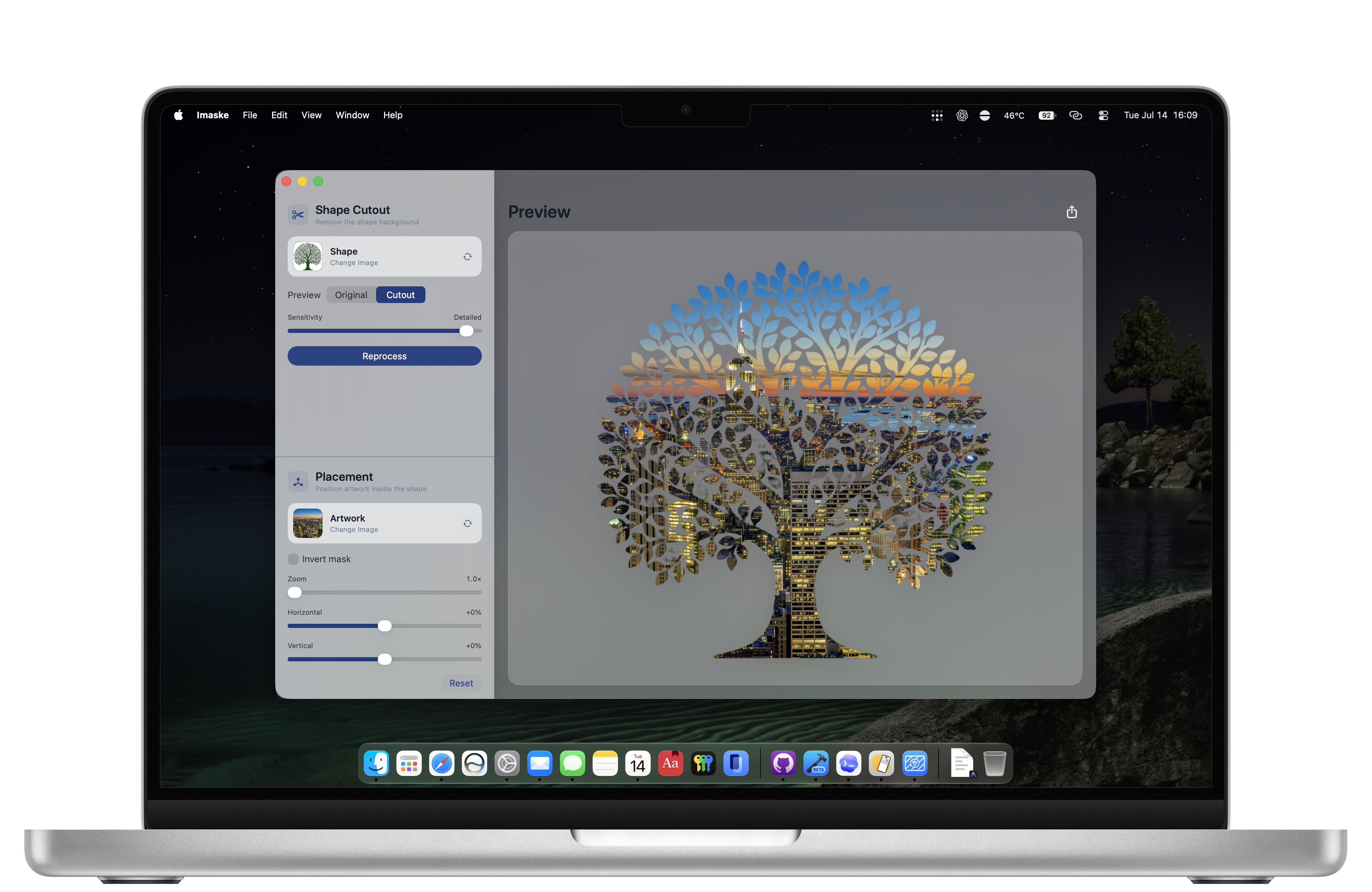
Image mask maker for Mac
Imaske makes image masking practical: remove the background from a shape, use that transparent shape as an alpha mask, then place artwork inside it. Position the image, zoom in, or invert the mask until the composition is right.
01 — MAKE THE SHAPE
Choose a PNG or image with the shape you want to use, then remove its background to isolate the silhouette.
02 — FILL IT WITH A PHOTO
Choose a second image to use as the artwork inside the shape. Imaske fits it to the shape automatically.
03 — COMPOSE AND EXPORT
Adjust image zoom and positioning, invert the mask when needed, and export the finished transparent PNG.
Use Imaske for shaped profile pictures, poster art, presentation graphics, and any project that needs a photo inside a custom mask.

FAQ
Yes. Isolate the shape, then use it as an image mask for another photo. The result can be exported as a transparent PNG.
Yes. A silhouette or any foreground shape can be used as the mask that reveals your artwork image.
Yes. The placement controls include mask inversion for compositions where you need the outside of the shape rather than the inside.